

Add a Copy to Clipboard destination to the Windows Share dialog:
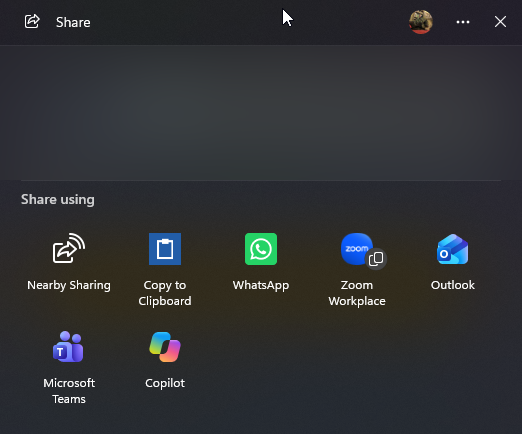
When an app shares plain text, choose Share with Copy to Clipboard to copy that text, ready to paste into another application. It also works with text-only shares from supported web browsers, where Windows may not offer its built-in copy-link action.
Successful copies happen without opening an app window. No account, Internet connection, or background process is required. The app works locally and has no advertising or analytics.
After installation, open Share in an application that supports Windows sharing and select Share with Copy to Clipboard. Windows controls where it appears; you may need to expand the app list. Launching the app directly displays instructions.
Supports plain text. Files, images, and browser-specific sharing menus that do not use Windows Share are not supported.
Features
- Copy plain text directly from Windows Share.
- Supports text-only shares from compatible browsers and other apps.
- Copies silently and exits immediately.
- No accounts, advertising, analytics, or resident background process.
- Small native Windows app with no additional runtime installation required.
Privacy Policy
The app processes text that you explicitly share with it through the Windows Share dialog. It copies that text to the Windows clipboard on your device so that you can paste it into another application.
The app does not transmit your shared text to GazChap Ltd or any other server. It does not use accounts, advertising, analytics, or telemetry, and does not maintain a separate history or save shared text to files.
Copied text remains on the Windows clipboard according to Windows behavior. Windows clipboard history and synchronization may retain or sync copied text if you have enabled those features. Other applications may be able to read clipboard contents. You can replace copied text, clear the clipboard, and manage clipboard history and synchronization through Windows settings.
If you have questions regarding this privacy policy, please contact me.